
The whole season. Who is where, day by day.
Crew planning software for racing teams. Who works which race, across the whole season — staff, racecars, and trucks on one editable grid, with availability posted by your own crew.
The season is planned. In a file only one person can touch.
One spreadsheet, one owner
The season rota is an Excel file on the team manager's laptop. Nobody else can edit it, and nobody ever has the latest version.
Everything typed twice
Assign someone to an event, then retype the same days in the planning. Forget one of the two and they quietly drift apart.
Availability chased by message
Who's off in August? Who can do the test day? The answers live in forty chat threads, and they change after you've planned.
"Is the truck free that week?"
Racecars and trucks have a season too. The spreadsheet only ever tracked the people.
One grid, the whole operation.
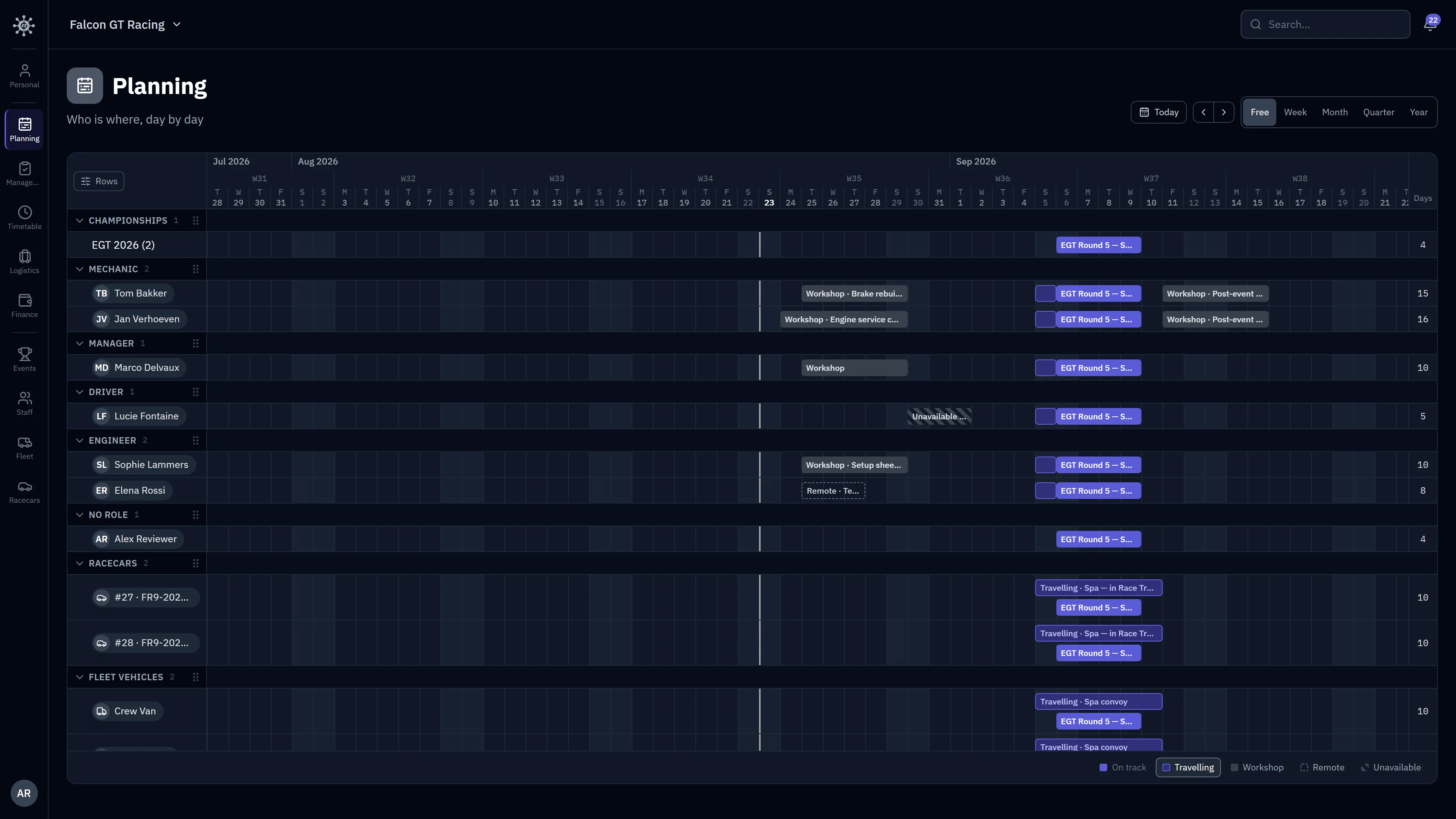
The whole season, one screen.
Days across, resources down — the roster grouped by role, championships on top, racecars and fleet vehicles below. Zoom from a free-scrolling season to week, month, quarter, or year, with a Today button to snap back. A per-row counter tallies the days worked in view, split by type on hover.
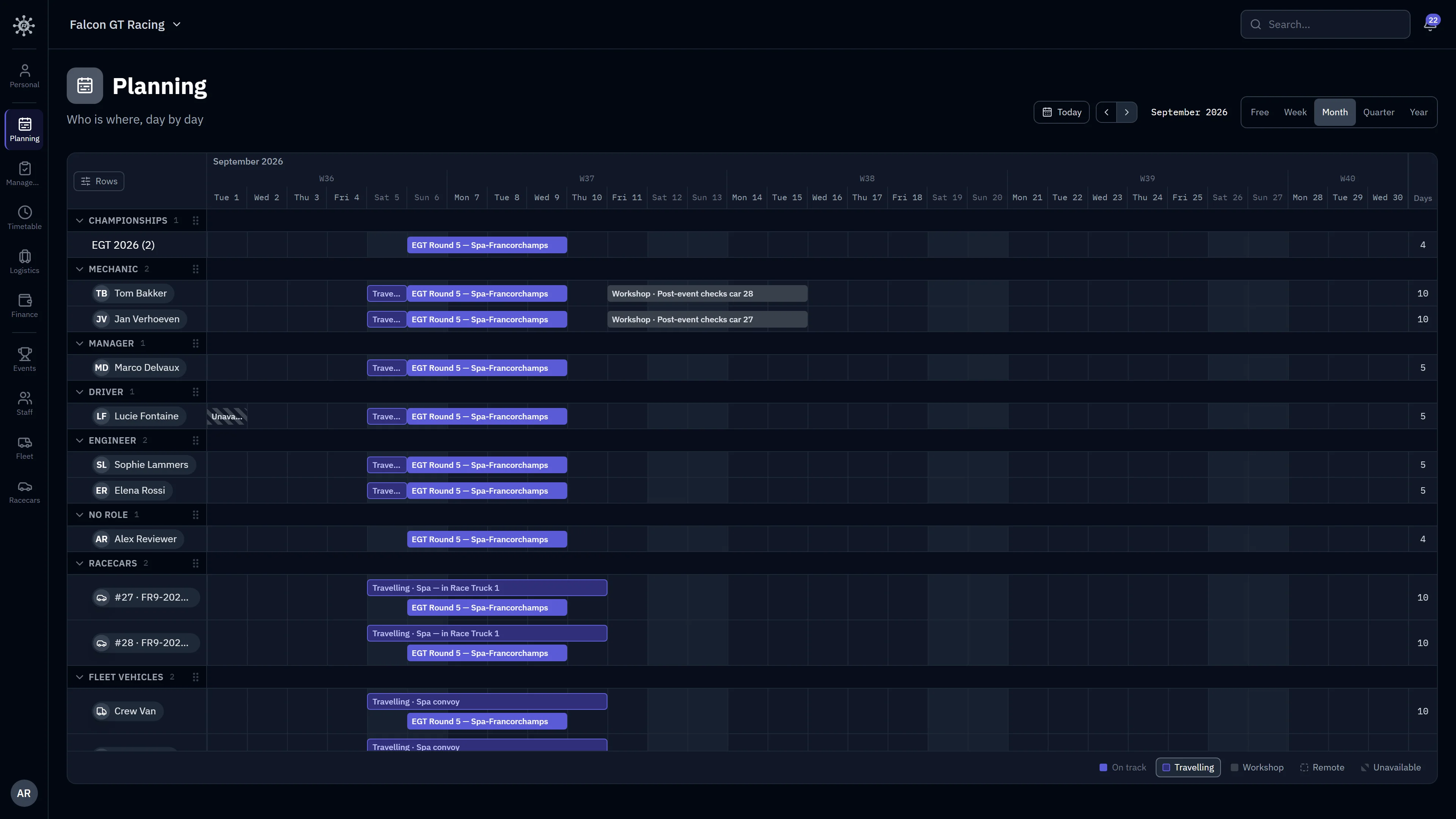
Paint days, not cells.
Five codes — On track, Travelling, Workshop, Remote, Unavailable. Drag an empty stretch to paint it, drag a bar to move it, grab an edge to resize. There is no Save button anywhere: every change applies instantly, and every change can be undone from its toast.
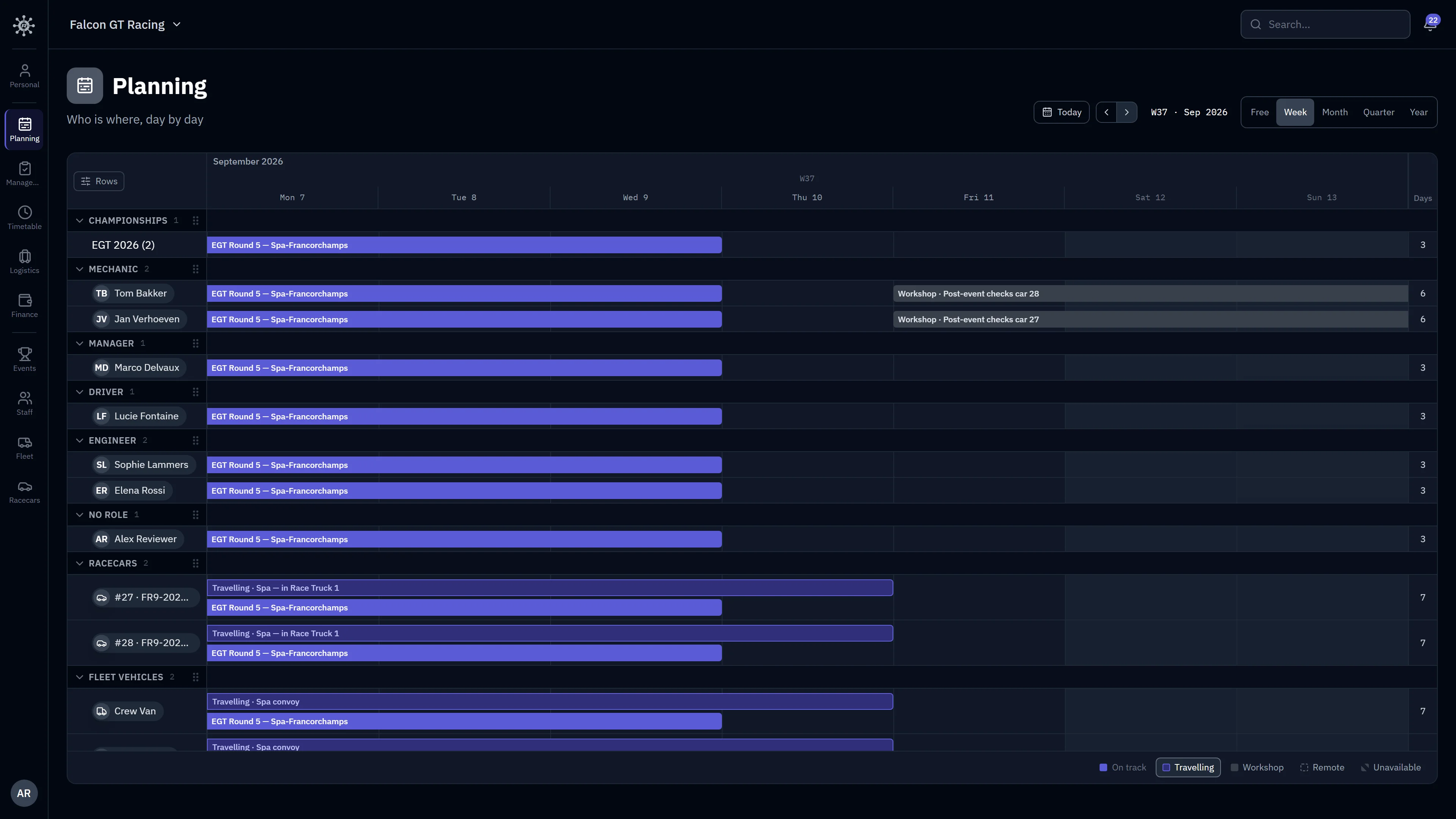
The truck loads early. The engineer stays late.
Resize a track bar to set that person's — or that truck's — own presence inside an event, without touching the event itself. Each end of the bar either follows the event's dates or pins to its own, so a date change on the event moves everyone who didn't need an exception.
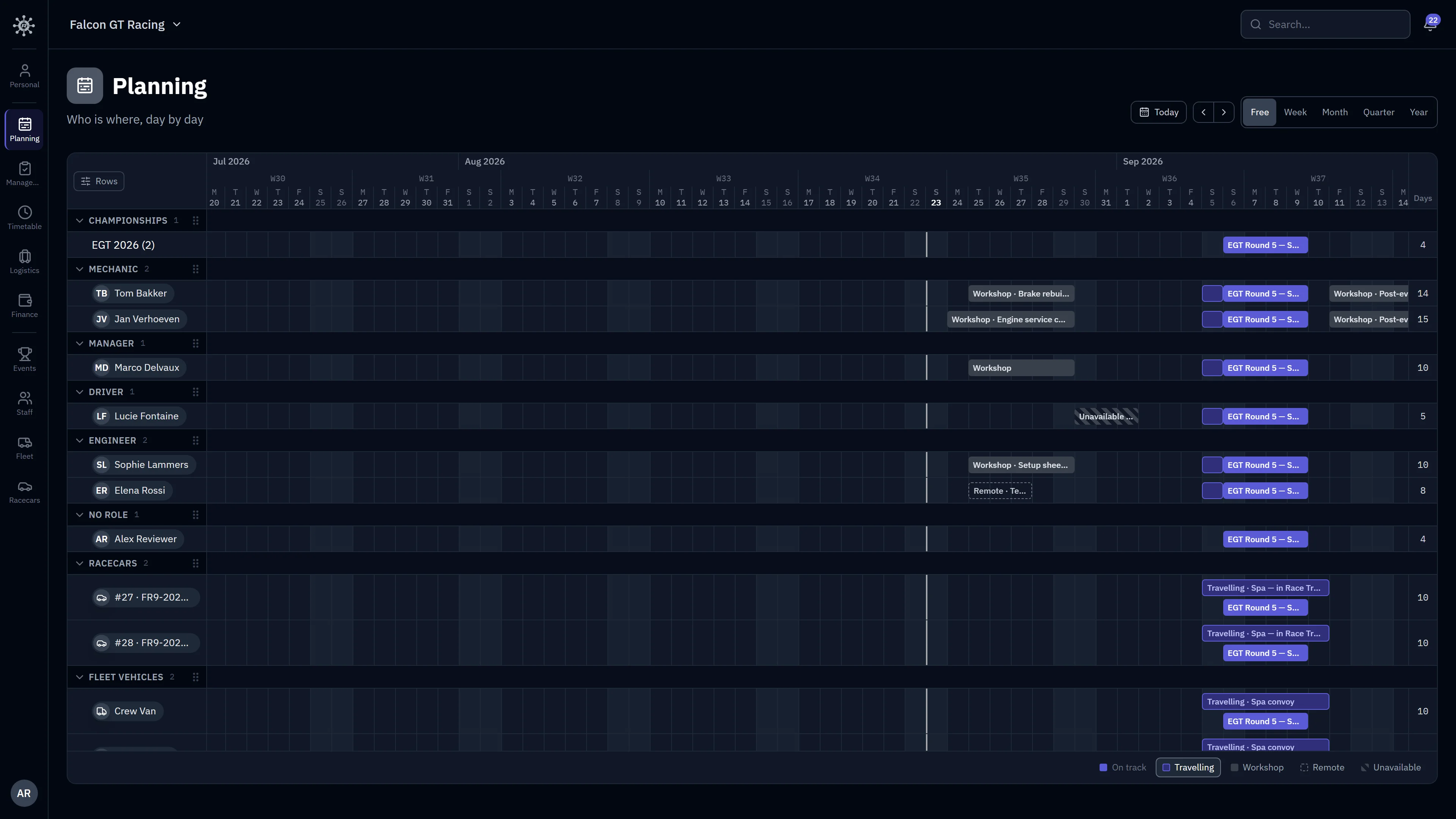
Planning covers the season between events — availability, and who works which race. Inside the race weekend, minute by minute, that's theTimetable module.
Availability flows both ways.
The grid isn't only written by the manager. Every team member posts their own days from the free Personal app — and what they post lands in your planning.
Team Manager
Assigns events and paints the season in Planning
Staff Member
Posts their own days in the free Personal app
Their days reach you
A member posts a week away and it lands in your grid as unavailable — dates only, their reasons stay their own.
Your days reach them
The days you plan for someone show up in their own season view, with your note — no forwarded screenshots of a spreadsheet.
Nothing typed twice
Assigning someone to an event in Management is the planning entry — track days derive from it, and follow when the event's dates move.
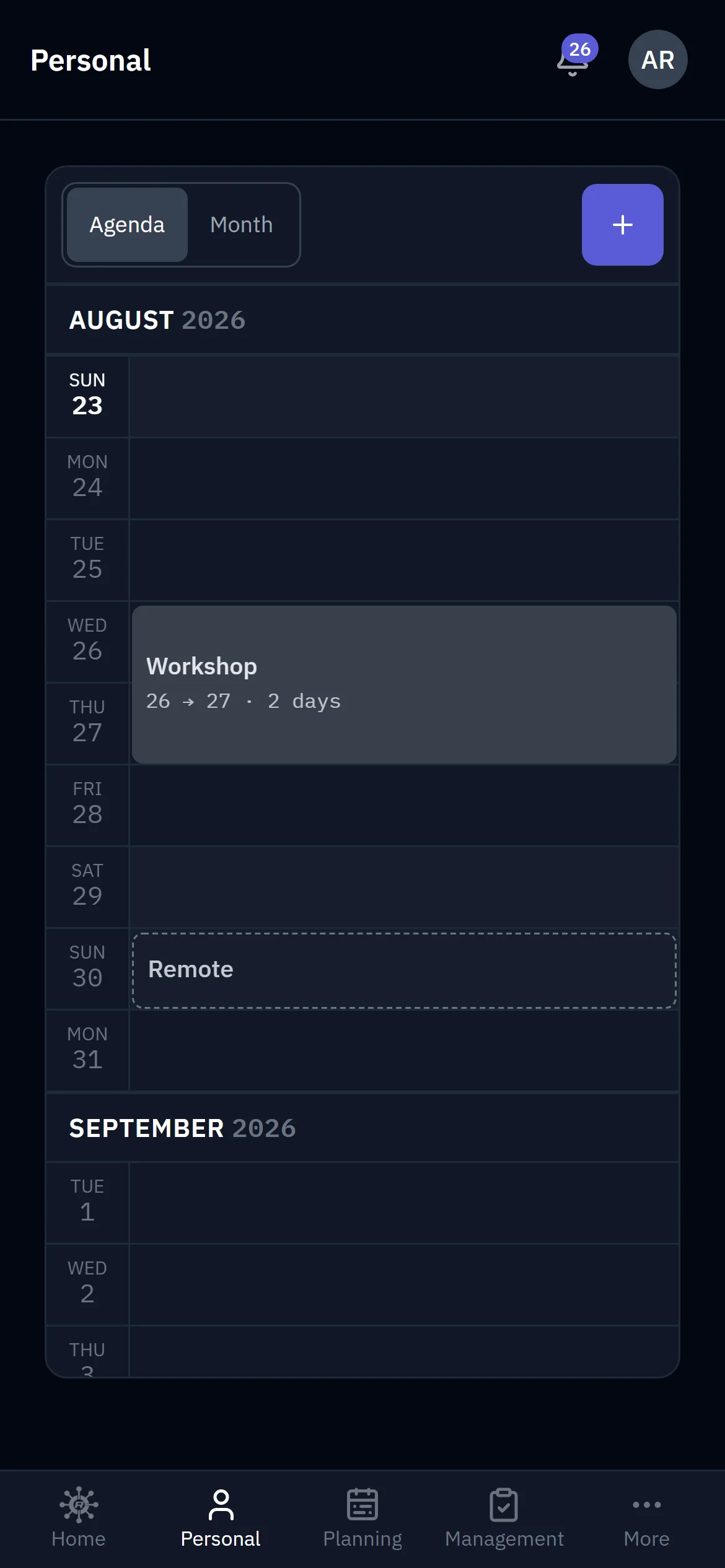
Their side: the season as an agenda — what is coming, in order.
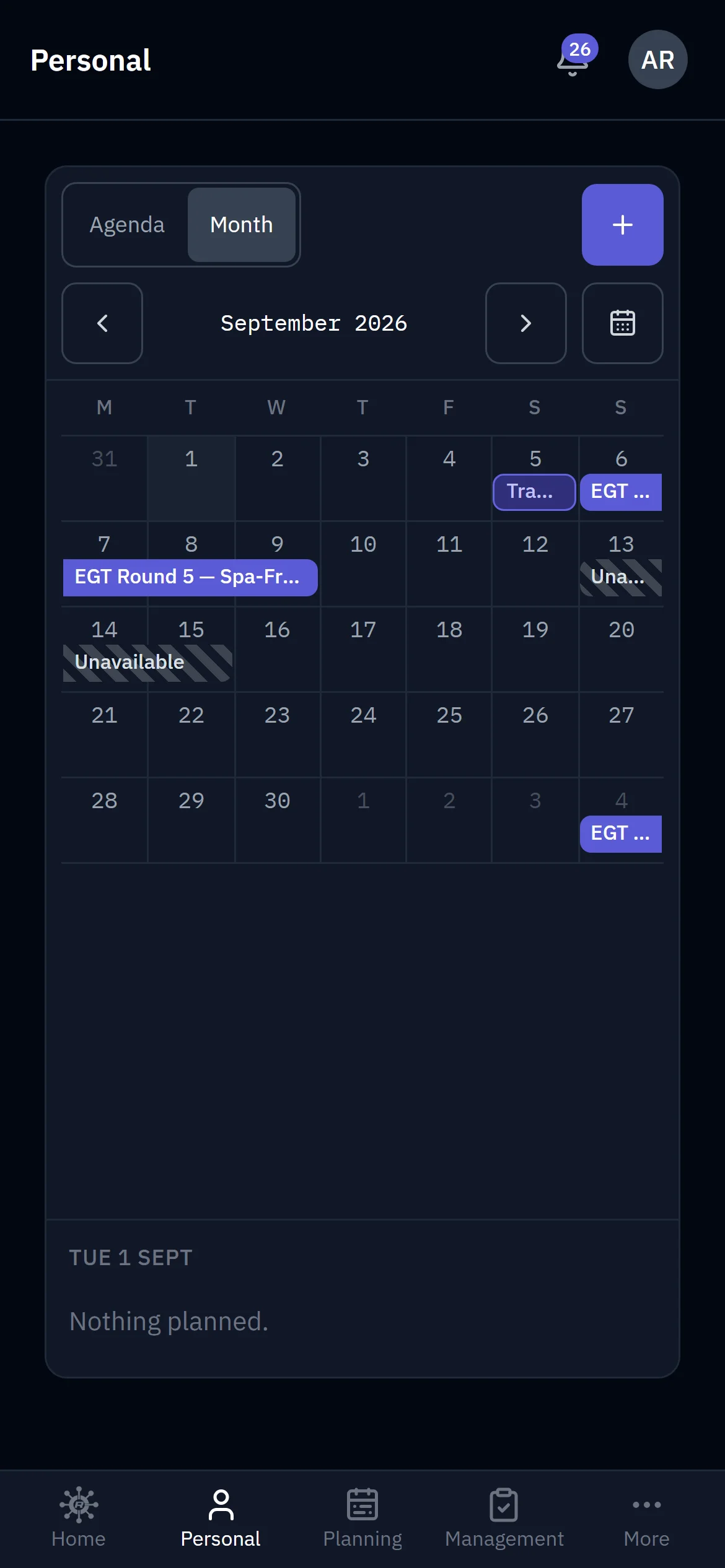
The same season as a month — events, travel, and the days they posted.
No availability emails to chase, no spreadsheet versions to reconcile.
The Personal module is included free with any subscription. Get the app:


Retire the planning spreadsheet.
Free for the 2026 racing season. Your whole season on one screen in minutes.
Get started